Saved as you play
The file is written every second and stays valid. If your Mac or your DJ software crashes, everything up to that moment is kept.

Every set you play, recorded by itself. It starts with your first sound, saves when the music stops and writes the tracklist for you. Then turn your best moment into a clip for your socials.
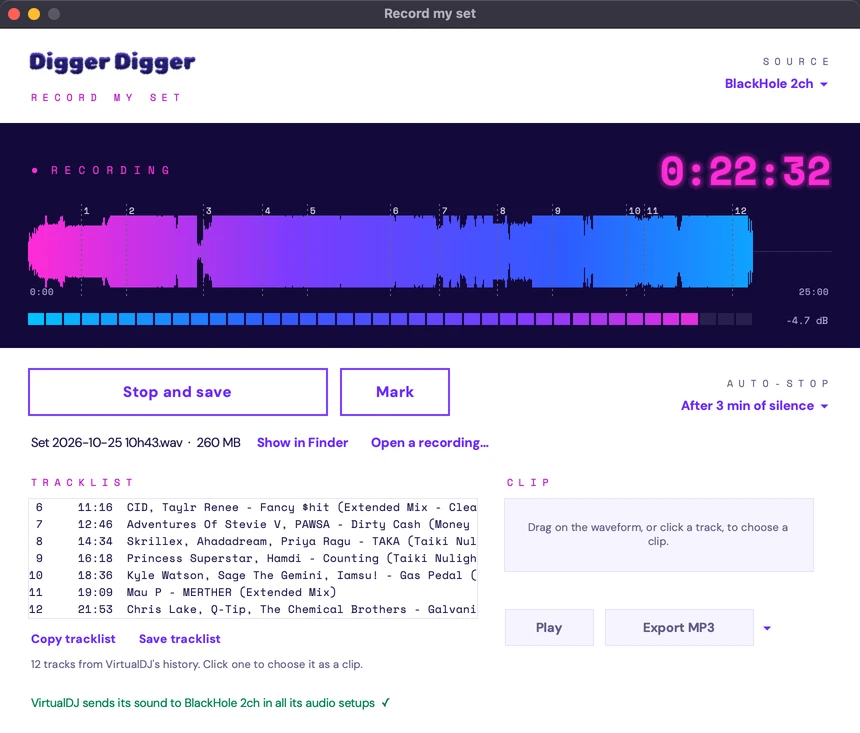
Record my set runs next to your DJ software and takes care of the recording, so you can take care of the floor.
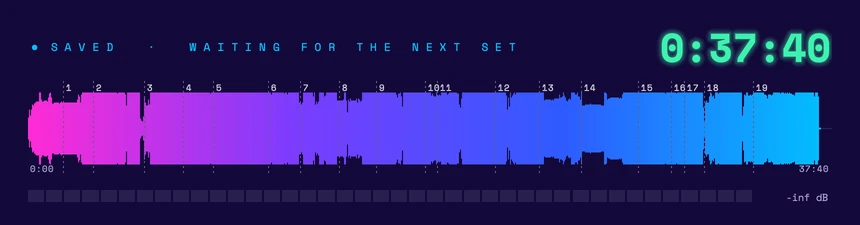
Press Start before the doors open and forget it. The recording begins with your first note, not before. When the music stops for a few minutes (you choose: 1 to 10, or never), your set is saved and the app waits for the next one. Back-to-back sets come out as separate files, and your Mac stays awake all night.
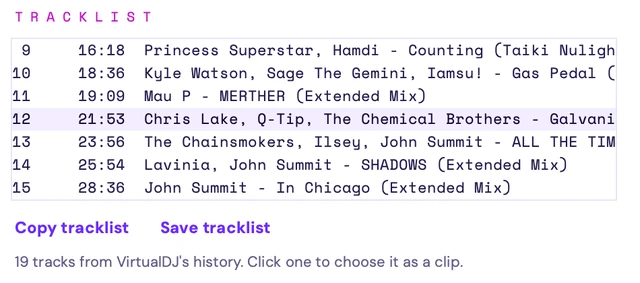
With VirtualDJ, every track shows up with the minute it started, straight from VirtualDJ's own history. Tracks you loaded and skipped within 30 seconds are left out. Copy it for Mixcloud, YouTube or SoundCloud in one click: it is saved next to the recording too. On any other DJ app, press Space when a new track starts.
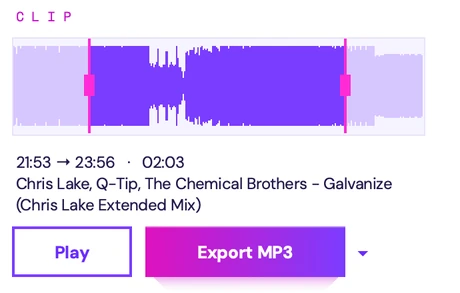
Click a track or drag across the waveform, nudge the handles, listen, export. MP3 320, M4A 256 or the WAV itself, for a Reel, a TikTok, a Short or a story. No audio editor needed.
The file is written every second and stays valid. If your Mac or your DJ software crashes, everything up to that moment is kept.
Recorded straight from Core Audio, the Mac's own sound system: no clicks, no gaps, no set that comes out rushed or short.
Long nights split by themselves before the 4 GB WAV limit, about 6 hours a file. Open any old recording again, with its waveform and tracklist.
You can. Until the night you forget, the software crashes, or you spend an hour finding the one minute worth posting.
| What you need | Record my set | The Record button in your DJ app |
|---|---|---|
| Starting | Starts by itself with your first sound | Only if you remember to press it |
| Stopping | Saves after the silence you choose, then waits for the next set | Runs until you stop it |
| If the software crashes | Your recording is in its own app, saved as you play | The recording can go down with it |
| Tracklist | Every track with its start time, skipped ones left out, one click to copy | Depends on the app, often an export to dig out |
| Clips | Any moment exported in two clicks | Back to an audio editor |
| Your gear | Any DJ app, controller or mixer: one recorder for all | Only what that one app plays |
| Old sets | Open any recording again with its waveform and tracklist | A file somewhere in a folder |
Good tools, made for other jobs.
$69 · macOS 14.4 or later
Rogue Amoeba's pro recorder captures any app on a Mac. Powerful, but built for every kind of audio, not for DJ sets: no tracklist, and cutting a clip takes another app.
Free
Fine for a quick take. You start and stop them by hand, they still need BlackHole to hear your DJ software, and you write the tracklist yourself.
A box to buy
A Zoom or a Tascam on the mixer's record output works with any gear. It's one more box to power and bring home, and it can't tell what you played.
Set it up once, then just press Start.
One click: Set up VirtualDJ adds the recording line to every audio setup, including the one VirtualDJ switches to when you plug in your controller. The tracklist comes with it.
rekordbox, Serato, Traktor, djay, Engine DJ: send their sound to BlackHole, the free virtual cable, with a Multi-Output Device when they play through your Mac. Press Space to mark each track.
Plug an audio interface into your mixer's record or booth output, or pick your controller if it sends its master over USB. CDJs and turntables too.
Leave your email at the top of this page. We write back with the app and how to pay (€12.99, once), or set up a demo with you first.
Install BlackHole (free) and click Set up VirtualDJ, or pick your audio interface under Source. A few minutes, one time.
Press Start recording and play. Your sets land in Music, My sets, as WAV files with their tracklists.
Tracks you saved, kept in this browser. Export the list and go shopping.