
Record the master output as a WAV file, with peaks a few decibels below the red and a backup recorder running. Post full sets where DJ mixes are licensed, which today mostly means Mixcloud, and keep YouTube, Instagram and TikTok for clips, knowing their music matching can block or mute you. Every platform rule below was checked on its own help pages or terms in October 2026.
Record inside your DJ app
From a laptop, your DJ software can record the master output (everything the crowd hears) straight to a file:
- rekordbox: records in PERFORMANCE mode, with a recording level knob and meters. Its FAQ says recording with DJ equipment connected needs a paid plan or a Hardware Unlock device.
- Serato DJ Pro: the REC button opens the Recording panel; set the source to Mix. Files go to the Recorded crate, in 24-bit by default (Serato's guide).
- Traktor Pro: the Mix Recorder takes the internal master or an external source such as a hardware mixer (manual).
- VirtualDJ: the Record section in Settings. It defaults to MP3 at 192 kbps, so pick WAV or FLAC first (manual).
- djay Pro: the red record button at the top left, in WAV, or AAC on Mac (help page).
- Engine DJ standalone units: no laptop needed. Denon DJ's PRIME 2 records 24-bit WAV to any connected drive, and the PRIME 4 G2 records WAV or MP3 to USB, SD card or an internal SSD if fitted, in a Sessions folder (FAQ).
One catch: rekordbox, Serato DJ Pro and djay Pro switch recording off when you play streamed tracks, and Engine DJ says to assume streamed music may not be recorded unless the provider allows it. To post a set, play files you own. Our guide to streaming or buying compares both.
Record from the mixer
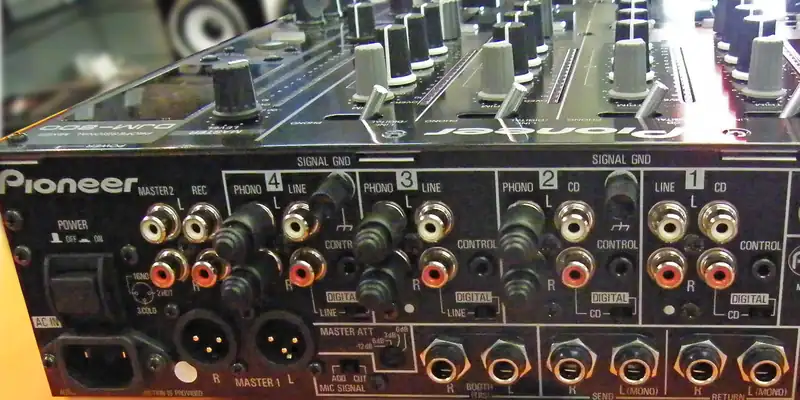
In a club, the mix happens in the mixer, often with no laptop at all. Mixers usually have a spare output at the back, labeled REC OUT, BOOTH or MASTER 2. Run it into a portable recorder, or into an audio interface (a small box that brings sound into a computer). A booth output follows the booth knob, so leave that knob alone while you record.
Ask the sound tech before you plug in, and bring cables that fit both ends, RCA or jack on the mixer side. Our gig bag checklist lists what to pack.
Set the level, and keep a backup
Headroom is the space between your loudest peak and the point where the signal clips (goes past the maximum and distorts). Play the loudest part of a track and set the record gain so peaks sit around -6 to -3 dB, the range SoundCloud's help center recommends. rekordbox and Serato both tell you to test the level so it never clips: clipping is baked into the file for good, while a quiet recording is easy to raise later.
Then run a second recording, like the software plus a recorder on REC OUT. It covers a crash, a full drive or a forgotten button. Check space and batteries first, and stop the recording before you close the app: djay warns the file can be damaged otherwise.
WAV to keep, a lighter copy to share
Keep the WAV, or FLAC (the same audio packed smaller), as your master. At 16-bit, 44.1 kHz, a WAV weighs about 635 MB per hour. That usually fits an upload: SoundCloud recommends lossless files up to 4 GB, and Mixcloud takes WAV, AIFF and FLAC up to 4 GB per show. For promoters and slow connections, export a 320 kbps MP3 (about 144 MB per hour) from the WAV, never the reverse. Our audio format guide explains why.
Filming your set
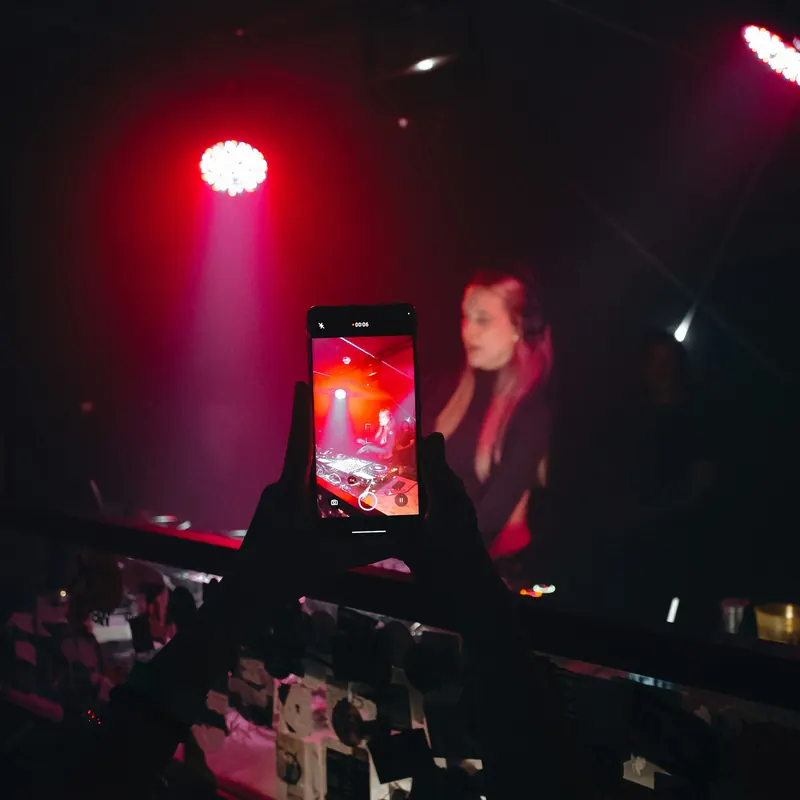
- Placement: a small tripod or clamp behind or beside you, at shoulder height, framing your hands, the mixer and some crowd. Vertical for Reels, TikTok and Shorts, horizontal for a full YouTube set.
- Phone settings: do-not-disturb mode, locked focus and exposure, a power bank and enough storage.
- Sound from the mixer, not the phone mic: in a loud room a phone mic distorts and catches every conversation. Record the mixer's output, then put that audio under the video in an editing app, lined up on a clap or the first kick.
- Ask first: check that the venue is fine with filming, and keep people who do not want to be filmed out of frame.
Where to post, and what happens to the music
A posted mix copies and publicly performs every track in it, so each platform's licenses decide what happens:
| Platform | DJ mixes allowed? | What happens to copyrighted tracks | Notes |
|---|---|---|---|
| Mixcloud | Yes, as shows over 15 minutes | Scanned so the artists played get paid; Mixcloud says it is licensed with many of the largest labels and publishers worldwide | Up to 4 songs per artist (no more than 3 in a row) and 3 per release (no more than 2 in a row). Free accounts: up to 10 published shows. |
| SoundCloud | Only with permission from every rights holder | Content identification at upload and afterwards; a match is blocked or removed | Reports not successfully disputed within 7 days bring strikes; more than two active strikes end the account |
| YouTube | Uploads work, but Content ID applies | A claim can block the video, run ads for the rights holder (sometimes sharing revenue with you) or just track it, by country | A claim is not a strike; strikes come from valid removal requests |
| Twitch | Live only, through the DJ Program | Only tracks in the Twitch DJ Catalog; monetized streamers get a music costs deduction | No VODs (saved replays) or clips with catalog tracks, no audio-only streams |
| Instagram and Facebook | Short clips, not full sets | Unauthorized music can be blocked, muted or removed; no "music listening experience", live videos included | Some business accounts cannot use the licensed library and get Meta's Sound Collection instead |
| TikTok | Short clips; a full set needs your own rights | Library sounds are for personal, non-commercial videos; up to one minute of music is generally permitted | No library sounds in a LIVE. Business use: the Commercial Music Library. |
| Apple Music | Official mixes from labels and events | Shazam technology identifies each track and the rights holders are paid | Not an upload site: releases come through a distributor |
Checked October 2026.
For full sets, Mixcloud is the platform built for them. Apple Music said in 2021 that it identifies the tracks in the mixes it carries, from names like Tomorrowland, Boiler Room and Cercle, and pays their rights holders, but it takes no uploads. Twitch's DJ Program, launched in 2024, covers live streams only, and its terms (updated August 31, 2026) say not to record or rebroadcast those performances. For social apps, cut your video into short highlights.
Add a tracklist
Fans use tracklists to find the music (see how to find what DJs play), and yours shows exactly what you played, next to the platform's audio matching. Mixcloud fingerprints every show but says this does not create a tracklist: paste one as "Artist - Title - HH:MM:SS", or upload a Serato or Traktor playlist file or a cue sheet. Most DJ apps keep a history of each session, so export it right after the set.
Two exceptions: Twitch's DJ Program terms forbid sharing a setlist before a stream, and SoundCloud says an account reported for leaking unreleased music (IDs) is permanently terminated.
This is not legal advice
Rules differ by country and platform, and they change. A platform's license covers its own site only: selling a mix or putting it on streaming stores needs clearance from every label and publisher in it. Our guide do DJs need a license? explains who pays what, and the collecting society where you live is the place to check.
Building your next set worth recording? Open all styles, play the 30-second previews and save the tracks you want to your crate with the + button.
Sources: Mixcloud Help, SoundCloud Help, YouTube Help, Twitch DJ Program Terms, Instagram Help, TikTok Music Terms.